ValidaTrip / Guides
Validate your ChatGPT or Gemini travel itinerary
AI writes a confident itinerary. It does not check whether the places are open.
No account needed to try it.
The problem
An AI itinerary reads beautifully and is often wrong in ways you only discover on the trip: places that moved or closed, hours that do not match your dates, sights that need tickets booked weeks ahead, or stops scattered across the city with no regard for transit.
How ValidaTrip handles it
- Paste the AI itinerary as-is. ValidaTrip pulls out each place and looks it up against real data.
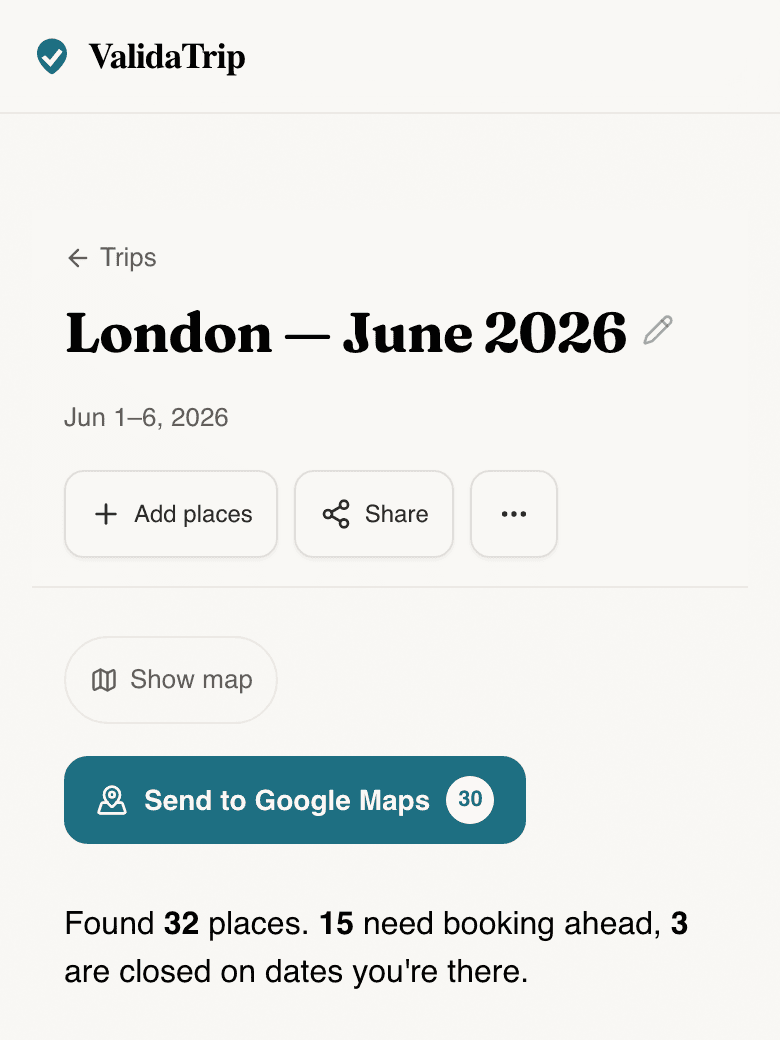
- Each stop is checked for opening hours on your dates, closures, and what needs booking ahead.
- Places are regrouped by neighborhood so the AI’s day order does not send you back and forth across town.
ValidaTrip product preview
validatrip.com/trips
Questions
- Why does an AI itinerary need checking?
- Language models generate plausible-sounding plans from training data, not live information. Opening hours, closures, ticketing, and even whether a place still exists are exactly the details they get wrong — and the ones that ruin a day.
- Do I need to reformat the itinerary first?
- No. Paste it however ChatGPT or Gemini gave it to you — day headings, bullets, prose. ValidaTrip handles the extraction.
- Is ValidaTrip free?
- Yes. You can paste an itinerary and get it validated without signing up.